Source and preview side by side
Edit the description as plain Markdown and see it rendered like Jira as you type. Resize the panes or switch to editor or preview only.
For Jira Cloud · Runs on Atlassian
A real Markdown source view with live preview — and nothing gets lost when you save.
Free while in beta.
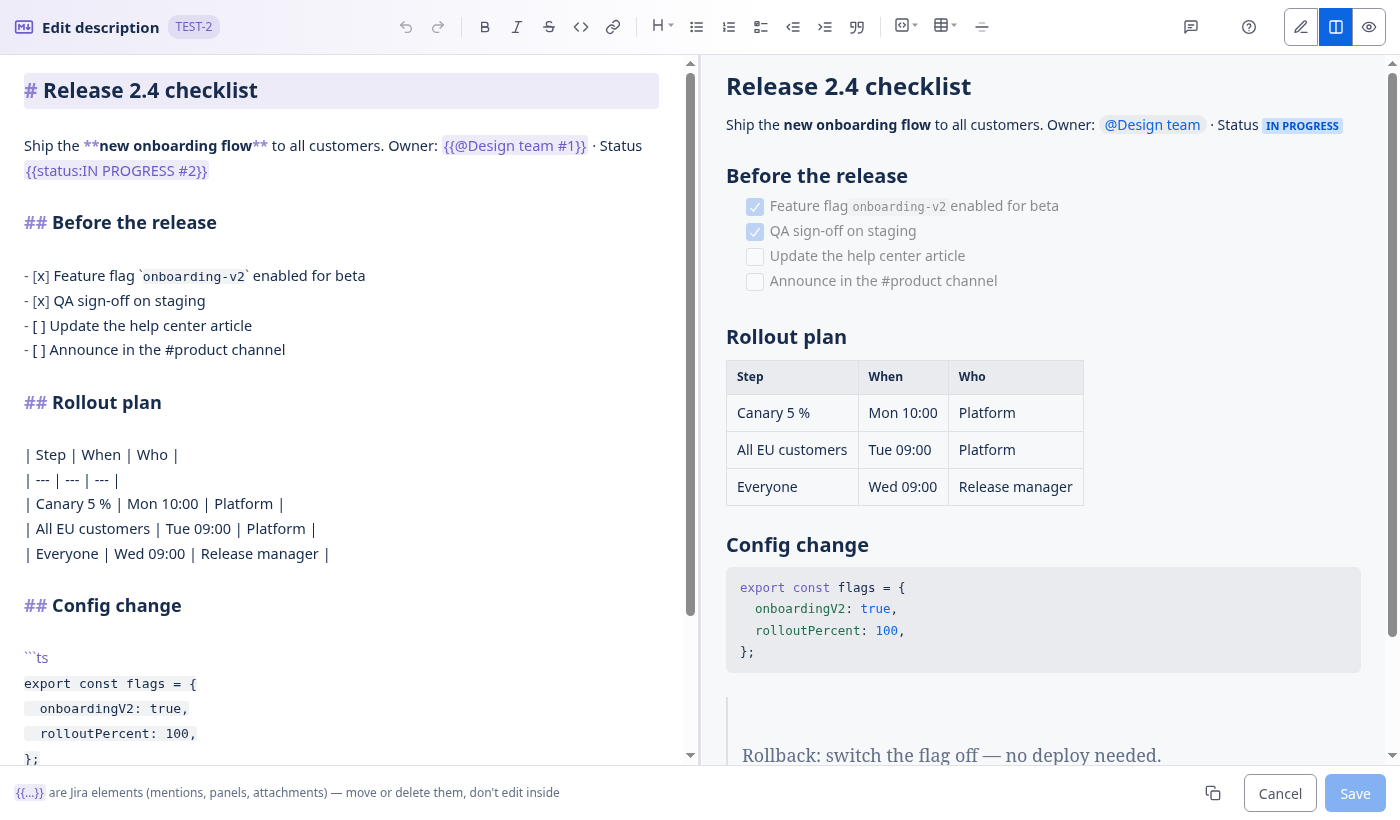
Keep writing the way you write READMEs and pull requests. The app turns it into a normal Jira description.
Edit the description as plain Markdown and see it rendered like Jira as you type. Resize the panes or switch to editor or preview only.
Mentions, panels, status lozenges and attachments stay exactly as they are. If a save would lose anything, the editor refuses to save.
Bold twice removes bold. A bullet list becomes a numbered list instead of "1. - item". Headings replace each other.
Pick a table size from a grid, choose the language of a code block, and set heading levels from a menu.
A searchable cheat sheet shows what you type and what you get — and inserts the example for you.
Shortcuts for everything, platform-aware labels, and "e m" from the Jira command palette opens the editor.
One click puts the description on your clipboard as clean Markdown — ready for READMEs, chats or AI tools.
Follows your Jira theme automatically.
| Jira editor | Markdown Mode for Jira | |
|---|---|---|
| See and edit the Markdown source | No — Markdown only as shortcuts while typing | Yes |
| Live preview next to the source | — | Yes |
| Copy the description as Markdown | No | One click |
| Mentions, panels and attachments | Yes | Kept untouched |
| Data stays in the Atlassian cloud | Yes | Yes — Runs on Atlassian, no outside servers |
No. The app converts your Markdown back to Jira's own document format when you save, so everyone else sees a normal Jira description.
They are shown as small {{placeholders}} in the Markdown and written back unchanged. If a round trip would lose anything, saving is disabled for that issue.
No. The app runs on Atlassian's Forge platform and does not call any outside server.
Not yet — descriptions first. Comments are the next thing on the roadmap.
Jira Cloud. Open an issue and use the Markdown panel, the "Edit as Markdown" action or the shortcut e m.
It is free while in beta. Pricing will be announced before the beta ends.